




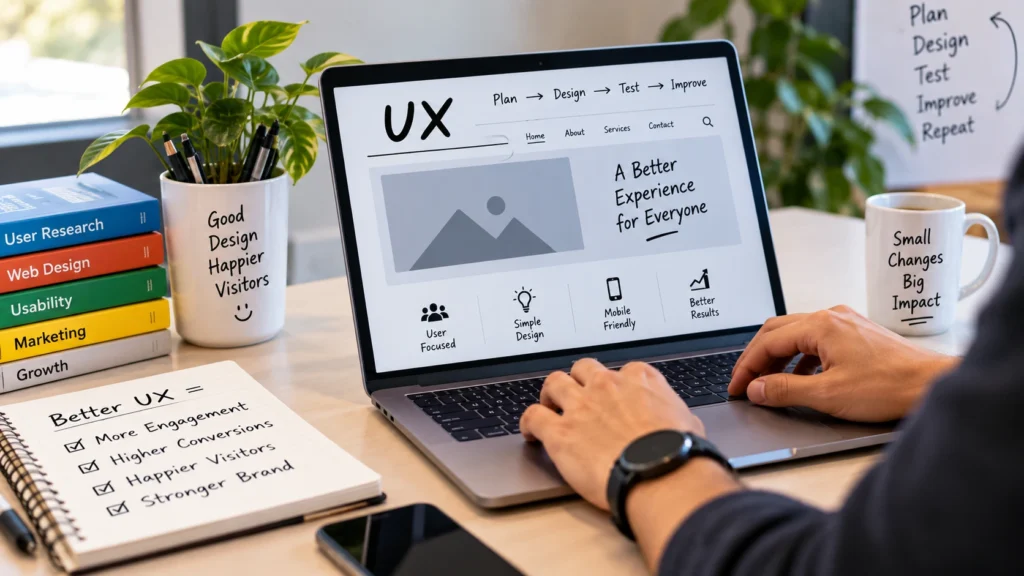
A website can look impressive, but if visitors struggle to find information, navigate between pages, or complete simple tasks, they may leave quickly. That is why user experience (UX) should be a key part of every website design strategy.
Good UX makes a website easier to understand, faster to use, and more comfortable to navigate. It can also encourage visitors to spend more time on your site, interact with your content, and take important actions such as making a purchase or submitting a form.
Here are the top UX tips to help create a website that is simple, accessible, and enjoyable to use.
1. Understand Your Audience
Before designing or redesigning your website, take time to understand who you are building it for. Consider your audience’s needs, expectations, behaviors, and common problems.
Understanding your visitors helps you make better decisions about your website’s layout, content, navigation, and features. By creating the right strategy with an ecommerce agency, you can target your audience more effectively and build a UX strategy around what they actually need.
2. Create Clear and Simple Navigation
Visitors should not have to work hard to find what they are looking for. A clear and logical navigation system helps people move around your website without confusion.
Use familiar menu labels, organize related pages logically, and avoid filling your navigation with unnecessary options. For content-heavy websites, adding a search bar can also help visitors find specific information quickly.
3. Make Your Website Mobile Responsive
A large number of people browse websites using smartphones and tablets, so your website needs to work well on different screen sizes.
A responsive website automatically adapts its layout to the device being used. Text should remain easy to read, buttons should be simple to tap, and visitors should not need to constantly zoom or scroll horizontally.
4. Improve Website Loading Speed
Slow-loading pages can quickly frustrate visitors. If people have to wait too long for a page to appear, they may leave before interacting with your content.
Improve website performance by compressing images, reducing unnecessary code, optimizing files, and using a content delivery network (CDN) when appropriate. Faster pages create a smoother experience and make it easier for visitors to access your content.
5. Keep Your Branding Consistent
Your website should have a consistent visual identity from one page to another. Keep elements such as your logo placement, colors, typography, buttons, and overall tone consistent throughout the site.
Consistency makes a website feel more professional and predictable. It also helps visitors recognize your brand and build confidence while browsing.
6. Use a Clean and Minimalist Design
A crowded website can make it difficult for visitors to focus on what matters. A clean, simple layout gives important content room to breathe and makes pages easier to understand.
A minimalist approach does not mean removing everything from your website. Instead, focus on the elements that genuinely help visitors. Limit unnecessary distractions, use white space effectively, and give priority to your main content and functionality.
7. Use Clear Calls to Action
Visitors should understand what they can do next. Clear calls to action (CTAs) help guide them toward the actions that are important to your website.
Whether you want visitors to Sign Up, Buy Now, Contact You, or Learn More, make your CTA easy to notice and understand. Place it where it makes sense within the user’s journey rather than adding buttons simply for the sake of having them.
8. Make Accessibility a Priority
A good website should be usable by as many people as possible, including visitors with disabilities. Accessibility should be considered from the beginning of the design process rather than treated as an afterthought.
Use descriptive alternative text for meaningful images, readable font sizes, sufficient contrast, clear labels, and keyboard-friendly navigation. These improvements can make your website easier to use for everyone.
9. Test Different Design Options
You do not always have to guess which version of a page will perform best. A/B testing allows you to compare two variations and see how real visitors respond.
You might test different headlines, button wording, layouts, images, or other page elements. Use meaningful metrics such as engagement, conversions, or completed actions to determine which version performs better.
10. Use High-Quality Images and Graphics
Visual content can make a website more engaging, but poor-quality images can have the opposite effect. Blurry, pixelated, stretched, or irrelevant images can make a website look unprofessional.
Choose clear and relevant images that support your content. At the same time, optimize image file sizes so your visuals do not unnecessarily slow down page loading.
11. Keep Forms Simple
Long or complicated forms can discourage visitors from completing them. If you need users to submit information, ask only for details that are genuinely necessary.
Use clear field labels, helpful instructions, and straightforward validation. Real-time feedback can also help users identify and correct mistakes before submitting a form.
12. Handle Errors Helpfully
Errors are sometimes unavoidable, but they do not have to create a poor user experience. When something goes wrong, explain the problem in simple language and tell visitors what they can do next.
For example, instead of leaving visitors on a generic 404 Not Found page, provide useful navigation options, a search box, or links to popular pages. Helpful error messages can turn a frustrating moment into a much smoother experience.
How to Continuously Improve Your Website UX
UX design is not something you complete once and never revisit. Visitor expectations, devices, technologies, and business goals can change over time.
Regularly review your website analytics, collect feedback from users, test important pages, and look for areas where visitors may be experiencing difficulties. Small improvements made consistently can have a meaningful impact on the overall experience.
Frequently Asked Questions About Website UX
What is UX in website design?
UX, or user experience, refers to how people feel and interact when using a website. Good UX makes a website easy to understand, navigate, and use.
Why is UX important for a website?
Good UX helps visitors find information more easily, complete tasks with less frustration, and interact with your website more effectively. It can also contribute to better engagement, conversions, and trust in your brand.
How can I improve my website UX?
Start by understanding your audience and then focus on areas such as navigation, mobile responsiveness, loading speed, accessibility, page design, forms, CTAs, and helpful error messages. Regular testing and user feedback can help you identify additional improvements.
What makes a website user-friendly?
A user-friendly website is easy to navigate, loads quickly, works well on mobile devices, has readable content, provides clear instructions, and allows visitors to complete their intended tasks without unnecessary difficulty.
Should UX be optimized for mobile devices?
Yes. A website should provide a smooth experience across smartphones, tablets, laptops, and desktop computers. Responsive design helps ensure that content and interactive elements remain usable across different screen sizes.
Ultimately, the best UX strategy is one that puts the visitor first. By understanding your audience, simplifying navigation, improving performance, supporting accessibility, and continually testing your website, you can create a more useful and enjoyable experience for your visitors.