

E Find Anything
Wednesday, February 4, 2026
  • Home
  • Health & Fitness
  • Technology
  • Pets
  • Business
  • Financial Services
  • Home Products & Services
  • Other Categories
    • Cars & Other Vehicles
    • E Money
    • Education
    • Entertainment
    • Foods
    • Games
    • Lifestyle
    • Other
    • People and Society
    • Relationships
    • Spirituality
    • Travel
  • About Us
  • Contact Us
No Result
View All Result
  • Home
  • Health & Fitness
  • Technology
  • Pets
  • Business
  • Financial Services
  • Home Products & Services
  • Other Categories
    • Cars & Other Vehicles
    • E Money
    • Education
    • Entertainment
    • Foods
    • Games
    • Lifestyle
    • Other
    • People and Society
    • Relationships
    • Spirituality
    • Travel
  • About Us
  • Contact Us
No Result
View All Result
E Find Anything
No Result
View All Result
Home Technology

How Can I Connect My Phone to My TV

Bryan Davis by Bryan Davis
June 15, 2023 - Updated on August 23, 2025
in Technology
Reading Time: 6 mins read
0
0
SHARES
3
VIEWS
Share on FacebookShare on Twitter

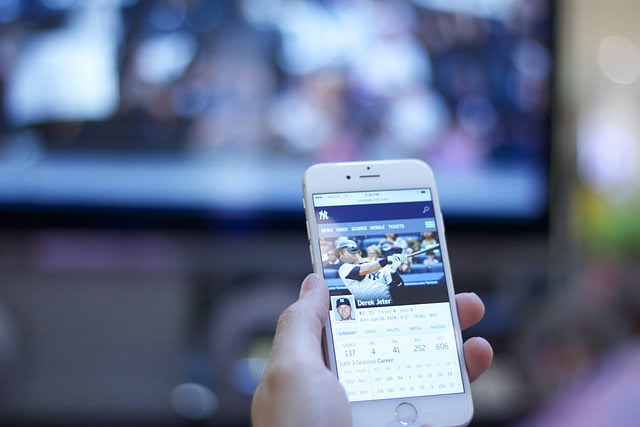
In this modern era of technology, our smartphones can do a lot of things. One of the many features that have been integrated into our handheld devices is the ability to connect them to our televisions. Whether you’re looking to share a family video on the big screen or want a larger display for your gaming session, knowing how to connect your phone to your TV can come in handy. This guide will walk you through the various methods available to achieve this connection, whether you’re an iPhone or Android user.
How Can I Connect My Phone to My TV

Table of Contents

Toggle
  • Understanding Your Options
    • RELATED POSTS
    • Lopalapc2547 New Version Released – Features, Download & Updates (2026)
    • 0800 033 8055 – Who Called Me? Scam or Legit?
  • Connecting iPhone to TV
    • Using AirPlay
    • Using a Lightning to HDMI Adapter
  • Connecting Android Phone to TV
    • Using Built-in Screen Mirroring or Casting
    • Using HDMI Cable and Adapter
  • Using Chromecast
  • Using Android Screen Mirroring
  • Using an Adapter or Cable
  • Stream With DLNA
  • Final Thoughts

Understanding Your Options

Before diving into the specific methods, it’s essential to understand the options available. The approach you choose to connect your phone to your TV primarily depends on the type of phone you own and the capabilities of your TV. More often than not, the process involves either a wired or wireless connection. The wired connection typically requires an HDMI cable and a suitable adapter, while the wireless method leverages technologies like Chromecast, AirPlay, or built-in screen mirroring features.

RELATED POSTS

Lopalapc2547 New Version Released – Features, Download & Updates (2026)

0800 033 8055 – Who Called Me? Scam or Legit?

Connecting iPhone to TV

If you’re an iPhone user, there are a couple of methods you can utilize to connect your device to the TV.

Using AirPlay

AirPlay is Apple’s proprietary streaming technology that allows you to wirelessly stream content from your iPhone to your TV. However, this method requires a TV that supports AirPlay 2, a feature integrated into most TV models manufactured in 2018 or later.

To use AirPlay:

  1. Ensure both your iPhone and TV are connected to the same Wi-Fi network.
  2. Access the Control Center on your iPhone (swipe down from the upper-right corner on iPhone X or later, or swipe up from the bottom edge of the screen on iPhone 8 or earlier).
  3. Select “Screen Mirroring” (represented by two overlapping rectangles).
  4. Choose your TV from the list of available AirPlay devices.

Using a Lightning to HDMI Adapter

If your TV doesn’t support AirPlay, you can opt for a wired connection using a Lightning to HDMI adapter. This adapter allows you to mirror your iPhone’s screen on your TV, essentially extending your phone’s display to the larger screen. Some apps may only display vertically, but apps like Netflix support screen rotation to fill the screen.

For a reliable Lightning to HDMI adapter, consider Apple’s official product, which includes a power passthrough port to keep your iPhone charged during use.

Connecting Android Phone to TV

If you own an Android device, the process to connect your phone to your TV can vary depending on the brand of your phone and TV.

Using Built-in Screen Mirroring or Casting

Most Android phones come with a built-in screen mirroring or casting feature, which you can use to connect your device to your TV wirelessly. However, both your phone and TV need to support the same Wi-Fi-based standards for this to work.

For certain brands like Samsung, you can use the “Smart View” feature or the “Screen Mirroring” setting to cast photos and videos to your Samsung TV. For TVs from brands like TCL, LG, Vizio, and Sony, you can use the Google Home app or the Roku app to cast photos, videos, and even other apps that support casting.

Using HDMI Cable and Adapter

Another method Android users can utilize is the HDMI cable and adapter. This method requires your Android phone to have a USB-C port that supports HDMI out, a feature also known as “HDMI Alt mode”. It’s usually available on select high-end models from manufacturers like Samsung, LG, OnePlus, and Sony.

For HDMI cables for your phone, consider Cable Matters’ USB-C to HDMI adapter with power passthrough or their USB-C to HDMI cable with power passthrough. Both products are rated highly by consumers and are available at an affordable price.

Using Chromecast

Chromecast is a versatile device that can be used to cast content from your phone to your TV. Whether you have a Chromecast dongle or a TV with built-in Chromecast support, this device allows you to cast apps and Chrome web pages from your phone to your TV.

To use Chromecast:

  1. Ensure your phone and the Chromecast device are connected to the same Wi-Fi network.
  2. Open the app you want to cast from.
  3. Tap on the cast icon (usually a rectangle with radio waves in the corner).
  4. Select the Chromecast device you wish to cast to.

Using Android Screen Mirroring

Screen mirroring is another feature that Android users can leverage to connect their phones to their TVs. This feature is perfect for sharing your own videos or apps that don’t contain copyrighted content.

To use this feature, you need to connect your device to the Google Home app. Once the connection is established, open the app and select the target device. Tap on the “Cast my screen” button to mirror your phone’s screen onto the TV.

Using an Adapter or Cable

If a wireless connection isn’t possible or convenient, an adapter or cable can be used to connect your phone to your TV. This typically involves an HDMI cable and a compatible adapter. You’ll want to choose an adapter that matches the type of port your phone uses. For example, if your phone has a USB-C port, you’ll need a USB-C to HDMI adapter.

However, keep in mind that this method will consume your phone’s charging port. So if you plan to mirror content frequently, you might prefer an adapter that includes a charging port so that you can keep your phone charged while mirroring.

Stream With DLNA

DLNA, or Digital Living Network Alliance, is a set of standards that allows you to stream media content between devices on the same network. This feature can be used to stream your own music, photos, and videos from your phone to your TV. However, it’s important to note that content from Netflix or any other DRM-protected apps won’t be supported.

To use this feature, you can download apps like LocalCast or AllCast, which let you stream your media files to a DLNA-enabled device like a smart TV or console. These apps also support streaming to Chromecast targets, which can be handy if you want to share your own files without mirroring your entire screen.
How Can I Connect My Phone to My TV

Final Thoughts

Connecting your phone to your TV might seem complex at first, but with this guide, you should be able to find a method that suits your needs. Whether you’re an iPhone or Android user, there are multiple ways to achieve this connection. Always remember to consider the capabilities of your phone and TV before choosing a method, and don’t be afraid to try different methods to find one that works best for you.

No matter the method you choose, you’ll soon be enjoying your favorite content on a bigger screen, enhancing your viewing experience and making the most out of your smartphone and TV.


Tags: Phone to My TV
ShareTweetPin
Previous Post

An Essential Guide to Finding Reliable Service Providers in Construction Industry

Next Post

7 Ways You Can Make It Big As An Artist

Bryan Davis

Bryan Davis

Bryan Davis is a professional writer and researcher specializing in health, wellness, pets, and technology. With years of experience producing accurate, evidence-based content, he combines thorough research with practical knowledge to provide readers with reliable guidance. Bryan is dedicated to creating trustworthy content that empowers individuals to make informed decisions about their health, lifestyle, and pets.

Related Posts

lopalapc2547 new version released software interface preview

Lopalapc2547 New Version Released – Features, Download & Updates (2026)

by Bryan Davis
February 2, 2026
0

The lopalapc2547 new version released update has recently caught the attention of users searching for performance improvements, stability fixes, and...

0800 033 8055 – Who called me? Scam or legit number guide

0800 033 8055 – Who Called Me? Scam or Legit?

by Bryan Davis
January 31, 2026
0

If you received a call from 0800 033 8055 and are wondering whether it is a scam or legitimate, you...

Managed IT Solutions California

Predictable IT, Peak Performance: A Guide to End-to-End Managed IT Solutions in California

by Bryan Davis
January 30, 2026
0

As a California business operator, you’re likely familiar with the feeling. It’s the jolt of an unexpected IT invoice that...

Projector rental in Orlando

How to Choose the Perfect Projector Rental in Orlando for Any Event

by Bryan Davis
January 30, 2026
0

You’ve spent months planning every detail of your Orlando event. From the catering to the seating chart, your goal is...

future of browsing

The Future of Browsing: Making Your Workspace Work for You

by Bryan Davis
January 29, 2026
0

Digital burnout is a modern reality, fueled by constant notifications, late-night screen exposure, multitasking, social media overload, and blurred work-life...

Next Post
7 Ways You Can Make It Big As An Artist

7 Ways You Can Make It Big As An Artist

Can Bearded Dragons Eat Grapes

Can Bearded Dragons Eat Grapes

Leave a Reply

Your email address will not be published. Required fields are marked *

RECOMMENDED

Archaeological travel tours

Archaeological Paths: Exclusive Journeys Through the World’s Most Fascinating Civilizations

February 3, 2026
lopalapc2547 new version released software interface preview

Lopalapc2547 New Version Released – Features, Download & Updates (2026)

February 2, 2026

MOST VIEWED

  • What Is VACP Treas 310

    VACP Treas 310 Meaning: VA Payment Code Explained (2026 Guide)

    0 shares
    Share 0 Tweet 0
  • Babata Namak Sinhala – Babata Lassana Namak

    7133 shares
    Share 0 Tweet 0
  • 15 Best Sites to Download Paid Android Apps for Free

    1 shares
    Share 0 Tweet 0
  • Top 5 Trends in Sunglasses for 2026

    0 shares
    Share 0 Tweet 0
  • 42 Dugg Height Life, Career, Net Worth, and More

    0 shares
    Share 0 Tweet 0

Follow Us on Social Media

efindanything-logo

This is a lifestyle blog offering an everything about Health & Fitness,Financial Services,Insurance,Travelling and more.Join us. Dive in. Improve your Life

CATEGORY

  • Art & Design (1)
  • Business (285)
  • Careers (9)
  • Cars & Other Vehicles (128)
  • Construction (5)
  • E Money (26)
  • Education (64)
  • Engineering (1)
  • Entertainment (16)
  • Environment (1)
  • Fashion (48)
  • Financial Services (151)
  • Foods (46)
  • Games (44)
  • Gear & Equipment (2)
  • Health & Fitness (424)
  • History (3)
  • Home Products & Services (360)
  • Insurance (12)
  • Law (149)
  • Lifestyle (32)
  • Other (24)
  • Parenting (2)
  • People and Society (31)
  • Pets (1,224)
  • Political (1)
  • Psychology (2)
  • Real Estate (61)
  • Relationships (47)
  • Safety (15)
  • Spirituality (48)
  • Sports (21)
  • Technology (221)
  • Travel (59)
  • Wishes (1)

RECENT POSTS

  • Archaeological Paths: Exclusive Journeys Through the World’s Most Fascinating Civilizations February 3, 2026
  • Lopalapc2547 New Version Released – Features, Download & Updates (2026) February 2, 2026
  • Martell Holt Net Worth (2026): Income, Businesses, Salary & Assets February 2, 2026
  • Why Does Ozdikenosis Kill You? Causes, Symptoms & Facts February 2, 2026
  • University of Metaphysics vs University of Metaphysical Sciences (2026) February 1, 2026
  • Home
  • About Us
  • Contact Us
  • Privacy Policy
  • Terms & Conditions
  • Disclaimer
  • Sitemap

© 2018- 2025 E Find Anything

No Result
View All Result
  • Home
  • Health & Fitness
  • Technology
  • Pets
  • Business
  • Financial Services
  • Home Products & Services
  • Other Categories
    • Cars & Other Vehicles
    • E Money
    • Education
    • Entertainment
    • Foods
    • Games
    • Lifestyle
    • Other
    • People and Society
    • Relationships
    • Spirituality
    • Travel
  • About Us
  • Contact Us

© 2018- 2025 E Find Anything

Go to mobile version