
As smartphones and mobile devices continue to play an important role in how people access information, educational mobile apps have become an effective way to deliver learning experiences anytime and anywhere. The shift toward distance learning in 2020 accelerated the adoption of digital education and demonstrated how mobile technology can support students, teachers, institutions, and independent learners.
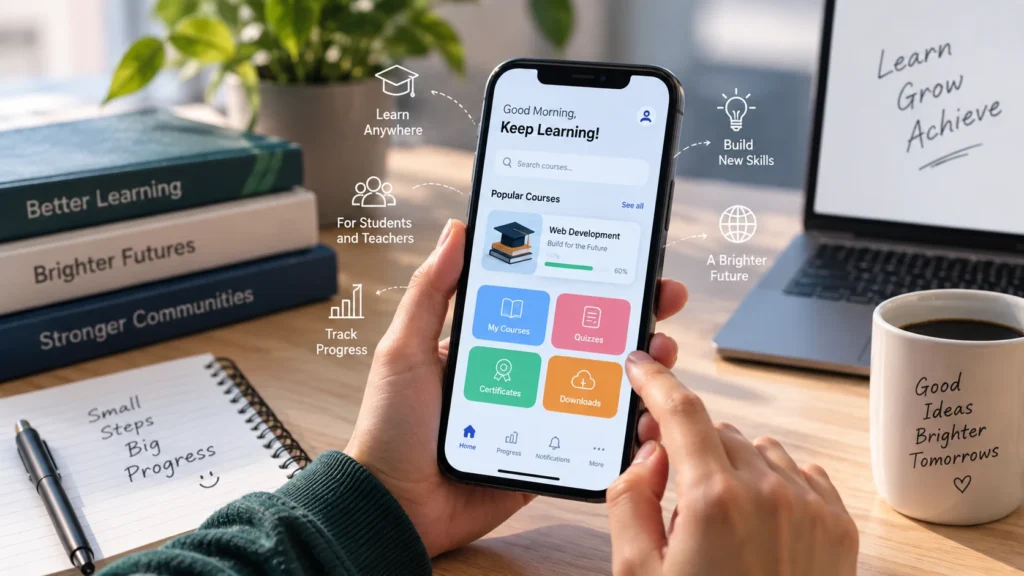
Educational apps can provide access to courses, learning materials, quizzes, progress tracking, notifications, payments, and communication features through a single platform. For organizations planning to build an education app, choosing the right features, technology stack, development strategy, and monetization model is essential.
As a result, educational institutions and businesses increasingly collaborate with an education software development company to design and develop customized learning applications.
What Qualities Must a Successful Educational Application Possess?
Educational mobile applications generally serve different groups of users, with students and teachers being two of the most important. Each group requires different functionality, so the app should be designed around the specific needs of its target audience.
A successful education app should be easy to navigate, responsive, secure, accessible, and capable of providing a consistent learning experience across supported devices.
Key Features for Teachers
Authentication and Profile Management
Instructors should be able to create profiles and securely access the application using email addresses, mobile numbers, or other supported authentication methods. Teacher profiles can include information such as name, professional title, qualifications, certifications, subjects, and areas of expertise.
Course Management
Course management allows teachers to create, update, organize, and remove courses. Instructors can upload educational resources such as lectures, illustrations, documents, videos, assignments, and quizzes.
A well-designed course management system should make it simple for teachers to organize learning materials and keep course information up to date.
Student Management
A teacher dashboard can help instructors manage students more effectively. Depending on the application’s requirements, it can display student information, test scores, assignments, grades, comments, and course progress.
This gives teachers a centralized place to monitor participation and review student performance.
Notifications
Teachers can receive notifications about upcoming classes, newly registered students, submitted assignments, completed tasks, course updates, and other important events.
Well-timed notifications can help instructors stay informed without requiring them to repeatedly check the application.
Key Features for Students
Authentication and Profile Management
Students should be able to sign in securely using email addresses, mobile numbers, or supported social login options. Their profiles can include information such as name, age, subjects, learning interests, and other relevant details.
The amount of personal information collected should be limited to what the application actually needs, with appropriate security and privacy measures in place.
Course Discovery and Enrollment
Students should be able to discover and compare available courses easily. Course pages may provide information such as schedules, teacher biographies, course descriptions, pricing, reviews, learning outcomes, and available materials.
A clear course discovery experience can help users find relevant educational content without unnecessary steps.
Student Dashboard
A student dashboard can bring important learning information together in one place. It may include class schedules, teacher information, enrolled courses, assignment deadlines, completed lessons, grades, and overall course progress.
Personalized dashboards can also help students understand what they have completed and what they need to work on next.
Notifications
Students can receive notifications about upcoming classes, schedule changes, new assignments, grades, course announcements, deadlines, and other learning activities.
Notification controls should allow users to manage unnecessary alerts while still receiving important educational updates.
Payments
Educational apps that offer paid courses, subscriptions, memberships, or other digital services may need integrated payment functionality. The payment experience should be secure, easy to understand, and convenient for users.
Developers should use an appropriate and trusted payment solution and clearly communicate pricing, billing terms, and transaction information.
Additional Features to Consider for an Educational Mobile App
The core features above provide the foundation of an education app, but modern learning platforms may require additional capabilities depending on their target audience and business model.
Quizzes and Assessments
Interactive quizzes and assessments can help teachers evaluate student understanding. Different question formats can be used for different subjects and learning objectives.
Progress Tracking
Progress tracking can show students and teachers how much course content has been completed. It can include completed lessons, assessment results, grades, milestones, and other learning indicators.
Video and Interactive Learning
Educational apps can incorporate video lessons, presentations, illustrations, interactive exercises, and downloadable learning materials. These features can make digital learning more engaging and accessible across different learning environments.
Search and Filtering
As an educational platform grows, finding relevant courses and materials can become more difficult. Search, filtering, sorting, and categorized content can make the learning experience easier to navigate.
Accessibility
Accessibility should be considered from the beginning of the design and development process. Educational applications may serve users with different visual, hearing, motor, and cognitive needs, so interfaces should be designed with readable text, appropriate contrast, accessible controls, captions where applicable, and support for assistive technologies.
Personalized Learning
Personalization can help an application present relevant courses, recommendations, practice activities, or learning materials based on a user’s progress and interests.
AI-assisted features can also be considered for use cases such as content recommendations, study assistance, question generation, or personalized practice. However, educational organizations should establish appropriate privacy, accuracy, and human-review practices before deploying AI-powered functionality.
Technologies to Develop Educational Applications
Choosing the right technology stack is an important part of educational app development. The technology used can affect scalability, performance, maintenance requirements, development time, cost, and the ability to support multiple platforms.
Modern development teams can choose between native development and cross-platform approaches depending on the application’s requirements.
Native Application Development
Native app development involves creating an application specifically for a particular platform, such as Android or iOS. This approach allows developers to work closely with platform-specific capabilities and development tools.
For Android applications, modern development can use technologies such as Kotlin and Jetpack Compose. Jetpack Compose is Google’s modern toolkit for building Android user interfaces and is designed around a declarative UI approach.
For Apple platforms, SwiftUI provides a declarative framework for building interfaces across Apple’s ecosystem and can be integrated with existing Apple frameworks where necessary.
One can hire Android developer to develop the Android platform.
Cross-Platform and Hybrid Application Development
Cross-platform development allows teams to share substantial portions of an application’s code across multiple platforms. This can be useful when an education business wants to support both Android and iOS without maintaining completely separate application codebases.
Flutter, for example, is an open-source framework designed for building natively compiled applications across mobile, web, desktop, and other supported platforms from a shared codebase.
Cross-platform frameworks can also integrate with platform-specific functionality when an application requires capabilities that are not covered by the shared framework.
Web Applications
Web app development creates applications that users can access through web browsers. A web-based education platform can provide another way for students and teachers to access courses and learning resources without installing a traditional mobile application.
Some cross-platform frameworks can also target the web. Flutter, for example, supports web deployment alongside mobile and desktop platforms.
Important Technology Components for an Education App
The user-facing mobile application is only one part of an educational platform. A complete system may also require backend services, databases, authentication, APIs, cloud infrastructure, analytics, content management, payment processing, and notification services.
Backend and APIs
The backend manages application data and business logic. It may handle user accounts, course information, assessments, subscriptions, payments, progress data, notifications, and communication between the application and server.
Database
A suitable database is required to store information such as user profiles, courses, lessons, assignments, assessment results, and progress records. Database architecture should be designed according to the application’s expected data volume and future growth.
Cloud Infrastructure
Cloud infrastructure can support scalable storage, application hosting, media delivery, backups, monitoring, and other backend requirements. The appropriate architecture depends on the application’s traffic, content requirements, geographic audience, and operational needs.
Analytics
Analytics can help education providers understand how users interact with the application. Useful measurements may include course enrollment, lesson completion, assessment activity, retention, and engagement.
Analytics should be implemented with appropriate privacy practices and should collect only the information needed for legitimate product or educational purposes.
Basic Steps to Create an Educational Application
1. Plan the Educational Offering
Before development begins, clearly define what the application will offer and who it is intended to serve. Identifying the target audience and educational objectives makes it easier to determine the necessary features and functions.
As per a leading Software development company, determining what features and functions one wants in an app may be much simpler based on the offering. That may lead towards the first step of creating productive educational software.
2. Conduct Market Research and SWOT Analysis
Thoroughly research the target audience, competitors, market requirements, and existing educational applications. Understanding user needs can help identify opportunities for solving specific learning problems.
It is also useful to investigate possible monetization models, including paid courses, subscriptions, memberships, institutional licensing, or other suitable approaches.
A SWOT analysis can help identify strengths, weaknesses, opportunities, and threats associated with the educational app concept.
3. Define the Target Users
Determine whether the application is designed for school students, university students, teachers, professional learners, institutions, parents, or another audience.
Different users may require different interfaces, permissions, content types, and workflows. Defining these user groups early can prevent unnecessary features from being added later.
4. List and Prioritize the Features
Create a detailed feature list and separate essential functionality from features that can be introduced later. User feedback can be useful when deciding which functions should receive priority.
Potential users can also provide feedback through surveys, polls, interviews, or prototype testing. This can help determine which features are genuinely useful before significant development resources are invested.
5. Identify the Development Platform
An educational application can be developed for Android, iOS, the web, or multiple platforms. A cross-platform approach can also be considered when the same product needs to reach users across different devices.
The appropriate choice depends on factors such as the target audience, development resources, required device features, development time, application complexity, performance requirements, and long-term maintenance.
In case of confusion, one can consult an education app development company to select the best platform and develop it according to the requirements.
6. Choose a Suitable Development Strategy
After defining the requirements and platform, choose an appropriate development strategy and development partner. Experience with educational applications can be valuable because learning platforms often require different user roles, content management, assessments, progress tracking, and security considerations.
After making all critical decisions, one would not want to risk the app’s integrity by working with a novice developer. One must locate an education app development company that develops such apps.
7. Design the User Experience
The user interface should make learning activities easy to understand. Navigation, course discovery, lesson access, assessments, progress information, and account management should follow a logical structure.
Design prototypes and usability testing can help identify confusing workflows before the application is fully developed.
8. Develop and Test the Application
Development should be followed by structured testing across supported devices and operating systems. Testing can include functional testing, usability testing, performance testing, security testing, accessibility testing, and payment testing where applicable.
Educational applications should also be tested with realistic course content and different user roles to identify problems that may not appear during basic technical testing.
9. Protect User Data and Application Security
Education applications can handle personal profiles, learning records, payment information, and other sensitive data. Security should therefore be incorporated throughout the development lifecycle rather than added only after launch.
Appropriate authentication, authorization, secure data transmission, access controls, backups, monitoring, and regular updates can help reduce security risks.
10. Release and Market the Application
The mobile app development cycle includes publishing the app on the relevant app stores. One can advertise the education app on multiple social media networks to reach the app’s intended audience.
It is also possible to promote the application through the institution’s website, email marketing, educational communities, content marketing, partnerships, and other relevant channels.
Before launch, the app store listing should contain an accurate title, description, screenshots, relevant keywords, and clear information about the application’s purpose and features.
How to Monetize an Educational Mobile App
Monetization should be selected according to the application’s target audience and educational offering. Common approaches include paid courses, subscriptions, memberships, institutional licensing, premium features, and other suitable digital business models.
A free tier can also be used to allow users to experience selected content before paying for additional courses or functionality.
The monetization model should be transparent and should not create unnecessary barriers to essential educational information.
How Much Does It Cost to Build an Educational App?
The cost of developing an educational mobile application depends on its scope and technical requirements. A simple application with authentication, course content, and basic progress tracking will generally require fewer development resources than a large platform with multiple user roles, live classes, video streaming, assessments, payments, analytics, AI-powered functionality, and complex backend infrastructure.
Factors that can affect development costs include:
- Number of platforms
- Number and complexity of features
- UI/UX design requirements
- Backend and database architecture
- Third-party integrations
- Video and multimedia requirements
- Payment functionality
- Security requirements
- Testing and quality assurance
- Ongoing maintenance and updates
For this reason, it is better to define the application’s minimum viable product and future development roadmap before requesting development estimates.
Common Mistakes to Avoid When Building an Education App
Building Too Many Features at Once
Adding every possible feature to the first version can increase complexity and development costs. Start with the core learning experience and expand based on user feedback.
Ignoring User Experience
An application can contain useful educational content but still perform poorly if users cannot easily find courses, lessons, assignments, or progress information.
Neglecting Accessibility
Accessibility should not be treated as an optional feature. Designing accessible interfaces from the beginning can make the application more usable for a broader audience.
Using an Inappropriate Technology Stack
The technology should match the application’s requirements rather than being selected simply because it is popular. Platform needs, performance, development resources, integrations, and long-term maintenance should all be considered.
Ignoring Security and Privacy
Educational applications may process significant amounts of user and learning data. Security and privacy requirements should therefore be considered during architecture, development, testing, and ongoing maintenance.
Future of Educational Mobile App Development
Educational mobile applications are continuing to evolve beyond simple course libraries. Modern platforms can combine interactive learning, progress tracking, personalized recommendations, multimedia content, analytics, and AI-assisted functionality.
The future direction of an individual education app will depend on its users, educational objectives, available technology, business model, and regulatory requirements. Rather than adding technology simply because it is new, developers should focus on whether a feature improves the learning experience or solves a genuine user problem.
Conclusion
Educational mobile app development provides organizations with an opportunity to deliver learning content through convenient digital experiences. A successful application requires more than attractive screens; it needs a clear educational purpose, appropriate features, reliable technology, strong security, accessible design, effective testing, and a sustainable development strategy.
The present and future of education lie in the creation of educational apps. Going with custom mobile app development services is vital to building unique apps. They can improve student productivity in class and support more engaging learning experiences.
Whether an organization chooses native development, cross-platform development, or a web-based approach, the most important step is to align the technology with the needs of students, teachers, and the educational organization. With careful planning and continuous improvement, an educational application can become a valuable part of a modern digital learning ecosystem.